
Clicks Lead to Conversions
Everyone is looking for more sales and leads. I mean, what better problem to have more bookings than you can fill up, more clients than you could possibly handle, or more sales than you could produce?
While those problems are definitely possible through some amazing marketing, but greatness always starts from simpler things. A sale starts from someone walking in your business after hearing about it from a friend – the same journey happens online, with clicks being the centrepiece. Think of a click as “digital foot traffic” – it represents an interested customer walking through your front door to browse and eventually buy. Therefore, clicks and click metrics should always be considered in your marketing.
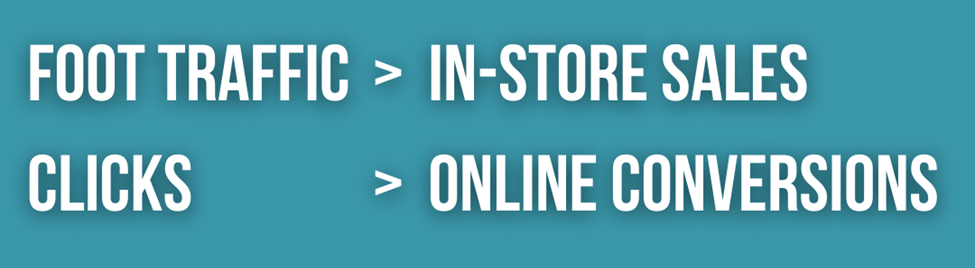
However, not all clicks are created equal. To effectively scale your business, you must distinguish between the clicks that simply drive awareness and those that actually drive revenue.
Types of Clicks
Before diving into the metrics, it’s pivotal to understand the 3 main ways users click on your ads on Meta platforms:
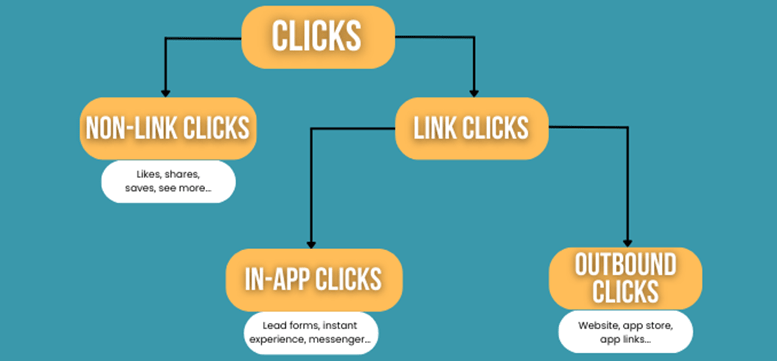
1. Non-link Clicks
These include engagements like likes, shares, comments, subscribing, clicking “read more,” or saving a post.
2. Link Clicks
These are clicks that lead to specific destinations, such as an Instant Experience, an app store, or a website landing page.
3. In-app clicks
Clicks that take a user to somewhere within the Meta ecosystem, such as clicking on a Lead Form, an Instant Experience, or a Page profile.
4. Outbound clicks
While outbound clicks are all link clicks, these are link clicks that drive users out of the Meta ecosystem, including website links, app store downloads, or deep links into your app.
Breaking Down the 4 Key Click Metrics
To tell the true story of your marketing, you need to find these four specific metrics in your Ads Manager reporting.
1. Clicks (All)
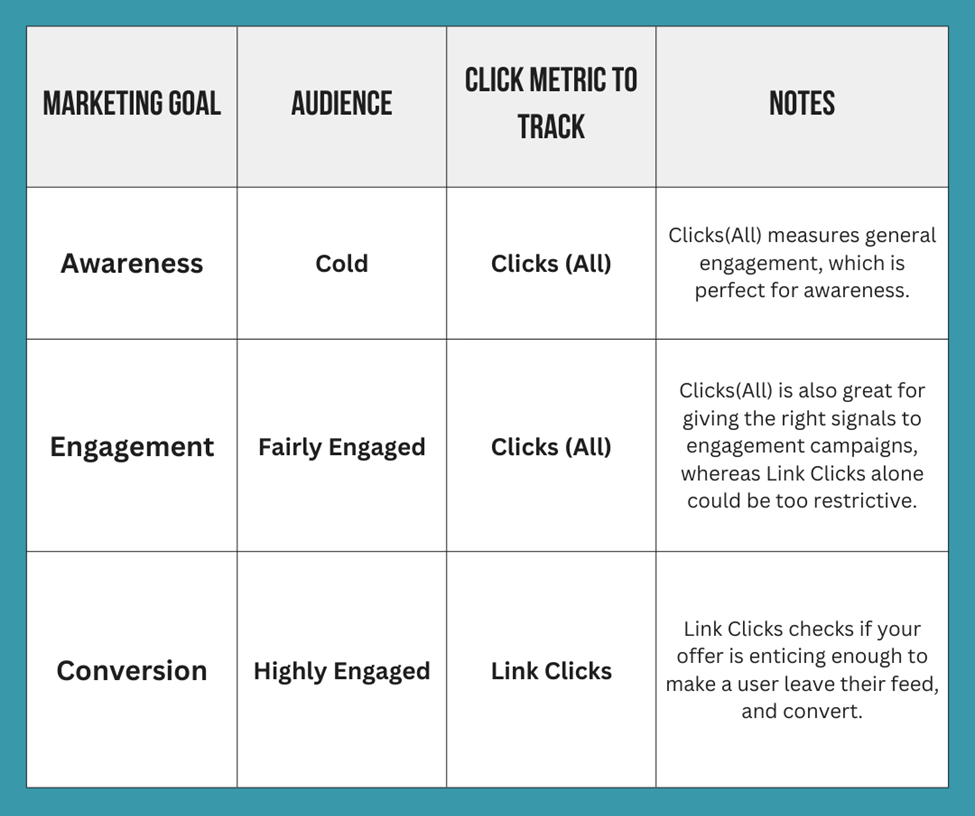
This is your broadest metric. It counts every single interaction, including likes, shares, profile visits, and “see more” clicks. It is best used for Top-of-Funnel (TOFU) awareness because it measures “thumb-stopping” power—essentially, did your creative catch their eye enough to make them react?
2. Link Clicks
This click metric is more focused. It only counts clicks to specific destinations like your landing page or Messenger. It’s a great indicator of Middle-of-Funnel (MOFU) engagement because it shows a user is curious enough to actually leave their feed to learn more about what you’re offering.
3. Outbound Clicks
This is a “pure” traffic metric. It specifically filters out internal Meta clicks (like someone clicking your Instagram profile) and only counts when a user heads to an external site. Use this for Performance and Sales tracking to see exactly how many people are landing on your Shopify or external website.
4. Unique Link Clicks
While “Link Clicks” counts the total number of clicks, “Unique” counts the number of people who clicked. For example, if one person clicks your ad five times, “Link Clicks” will show five, but “Unique Link Clicks” will show one. This helps you understand if you are reaching a fresh audience or if the same small group is clicking repeatedly.
Which Metric Should You Use
Deciding which click metric to track depends on how engaged your users are.
Pro Tip: Where you place your links in your posts is also important. See more on 3 Best Practices for Adding Links on Facebook.
Conclusion
Again, I can’t emphasise enough how important clicks are to your marketing. Not only do they benchmark your creative performance, but website clicks in particular, with the help of GA4, will give you powerful analytics insights on your traffic, and help you pivot your marketing efforts into the best channel, or the best performing campaigns. Now you would also know the 4 click metrics available in Meta Ads, what each of them means, and how to choose the right one to measure your digital marketing success.